Installation and maintenance of wireless barcode scanners
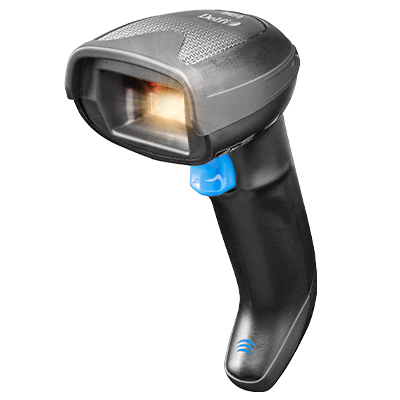
Stable operation starts with proper setup and maintenance
Installation and maintenance of wireless barcode scanners require more than just a quick setup. A stable connection, correct configuration, and continuous operational security are crucial factors for the scanner to function effectively in daily use. If overlooked, this can lead to data loss, interrupted workflow, and unnecessary expenses.
This guide covers all necessary steps – from initial preparations to daily maintenance – with particular focus on wireless technology. The goal is to provide you with practical and structured guidance that strengthens both operational security and user-friendliness in your scanning processes.
Before installation – checklist and system requirements
Before the wireless barcode scanner is put into use, a number of basic prerequisites should be in place. A correct installation depends on the scanner being compatible with the company’s IT infrastructure, both regarding operating system and the platform to which the scanner should send data. It is recommended to have updated drivers and firmware installed, as well as access to a stable power source during setup.
Location also plays a role: The area should be free from signal interference, metal surfaces, and unnecessary obstacles that can affect connection quality. If the scanner uses Bluetooth or another wireless standard, the device must be within range and ready for pairing.
A brief review of these conditions before installation reduces the risk of errors and ensures more efficient operation from the start.
Installation – step-by-step setup of wireless barcode scanner
Installing a wireless barcode scanner involves four simple steps to ensure proper setup and connection:
1
Charge the device fully
Connect the scanner to an approved charger or base and wait for the indicator light to confirm full charge.
2
Turn on the scanner and activate pairing mode
Most models have a dedicated pairing button or are automatically activated at startup.
3
Pair with the desired device
Use the computer, tablet, or terminal's Bluetooth settings to find and connect the scanner. Confirm the connection with a test scan.
4
Choose the right interface
Some systems require switching between HID and USB-COM mode. This typically occurs by scanning a configuration barcode sheet from the manufacturer.
Following these steps in the correct order will minimize data transfer errors and improve connection stability – even in environments with multiple wireless devices.
Maintenance – physical and digital reliability
Wireless barcode scanners require ongoing maintenance to function optimally over time. Physical operational security primarily involves regular cleaning. The scan head and optics should be wiped with a microfiber cloth, and any dust around charging contacts removed with compressed air or a soft brush. Avoid liquids with solvents, as they can damage plastic and electronics.
During daily use, the scanner should be placed in an area without large temperature fluctuations and stored in a holder or base when not in use. The battery lasts longer with partial discharge between charges and should be replaced when it shows signs of capacity loss.
Digital maintenance includes ongoing updates of firmware and drivers. These can often be downloaded directly from the manufacturer’s website and ensure compatibility with newer systems. In case of sudden connection problems or slow reading, it is recommended to perform a calibration via scanning tools or a configuration code.
The combination of physical cleaning and software maintenance minimizes downtime and ensures that the scanner delivers stable results – even during intensive use.
From setup to operation – get the most out of your solution
A correctly installed and maintained wireless barcode scanner helps ensure stable workflows, reduced downtime, and reliable data transfer. Small routines in daily use and ongoing technical maintenance make a big difference in the long run – both for lifespan and functionality.
Want to ensure maximum utilization of your technology
At Delfi Technologies, you will find guides, maintenance accessories, and reliable scanners for professional environments. Visit our page about wireless scanners and accessories, and get an overview of the solutions that fit your needs.